Screenshots
See every corner of the interface.
Real screenshots — no mockups, no Figma. What you see is what you get.
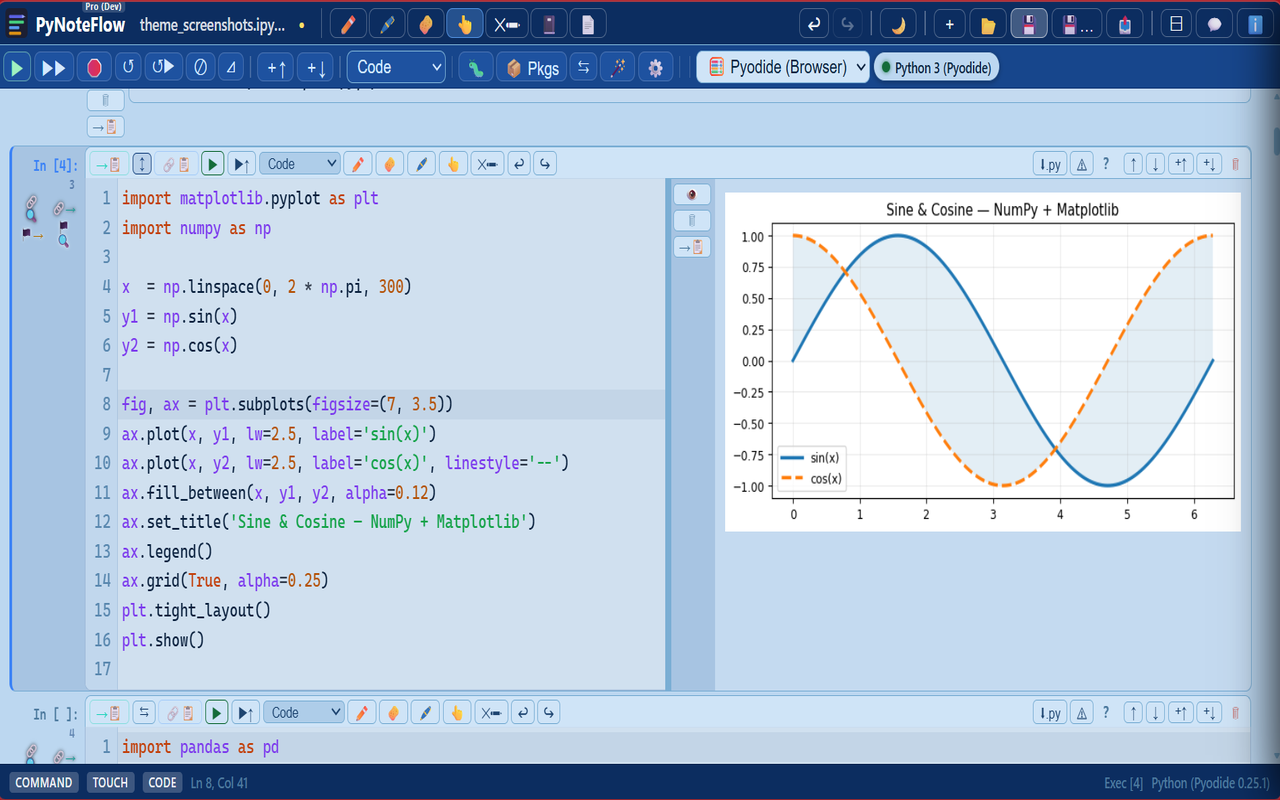
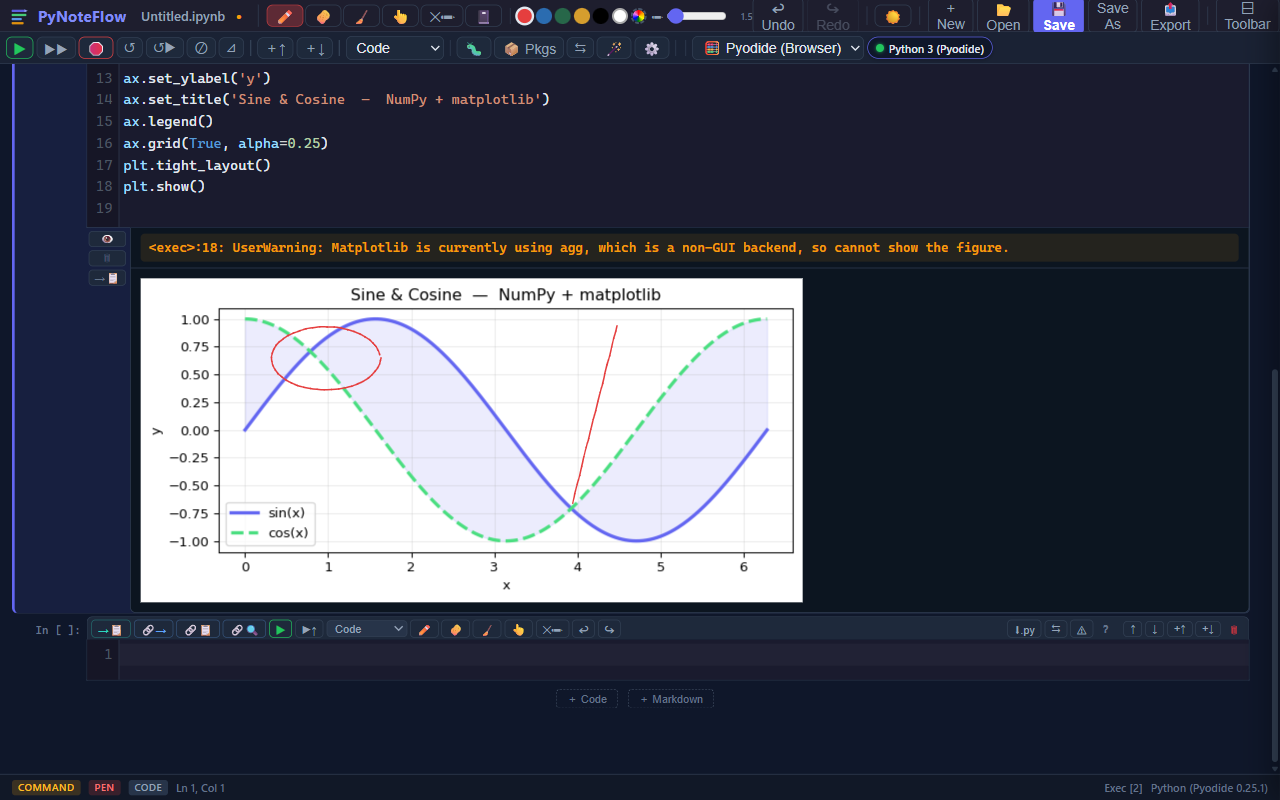
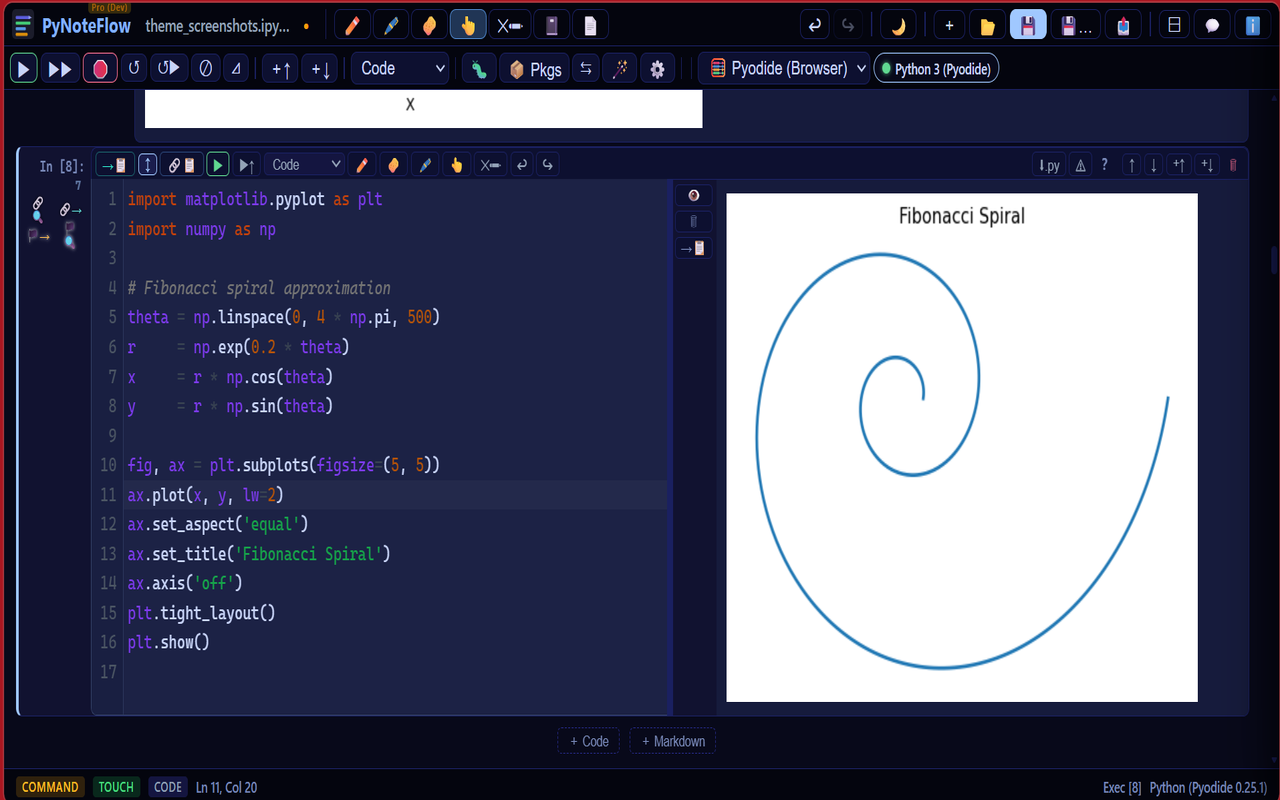
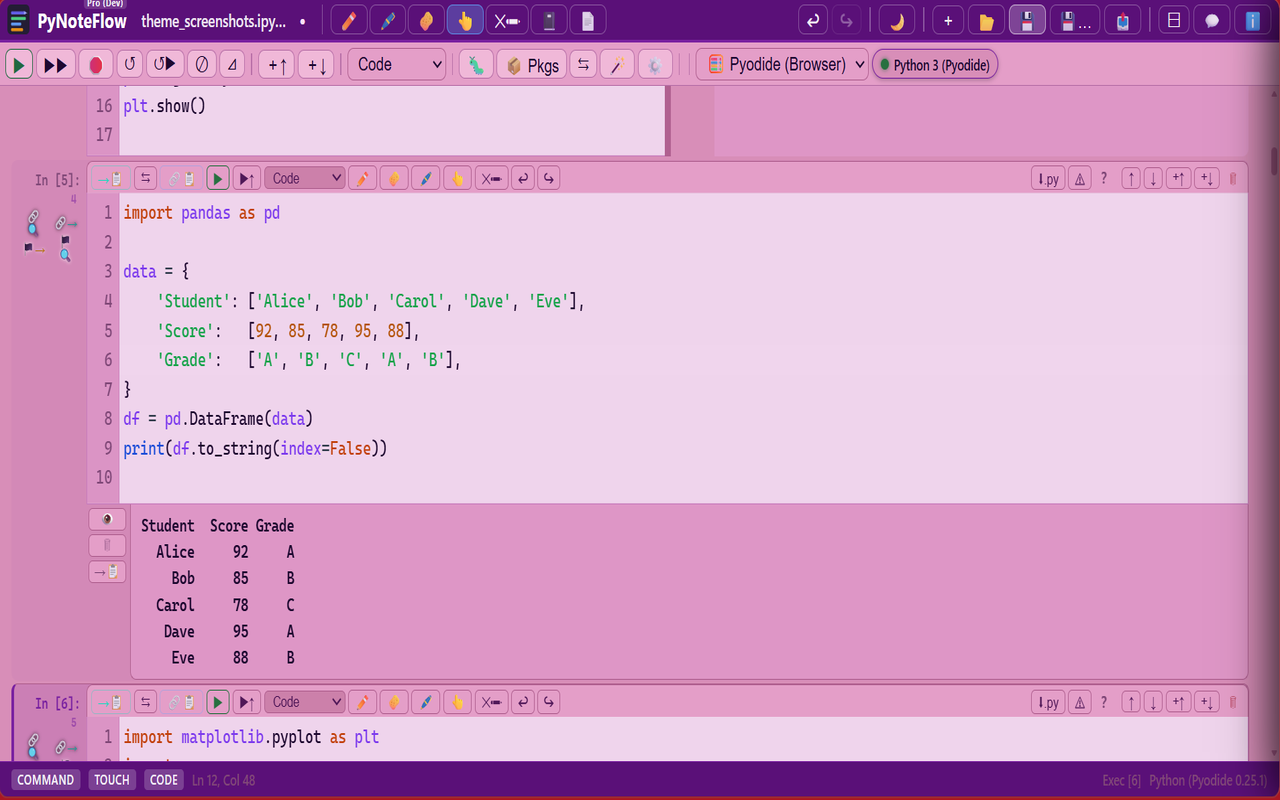
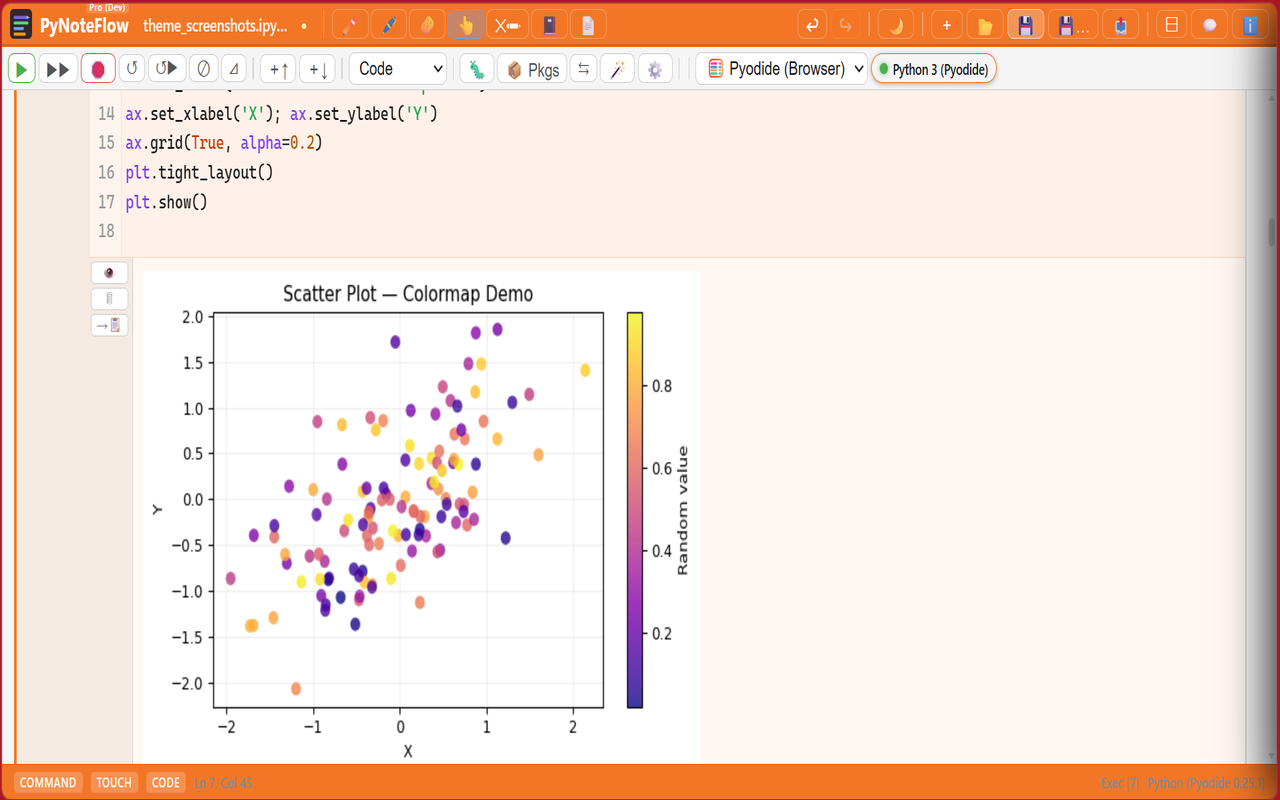
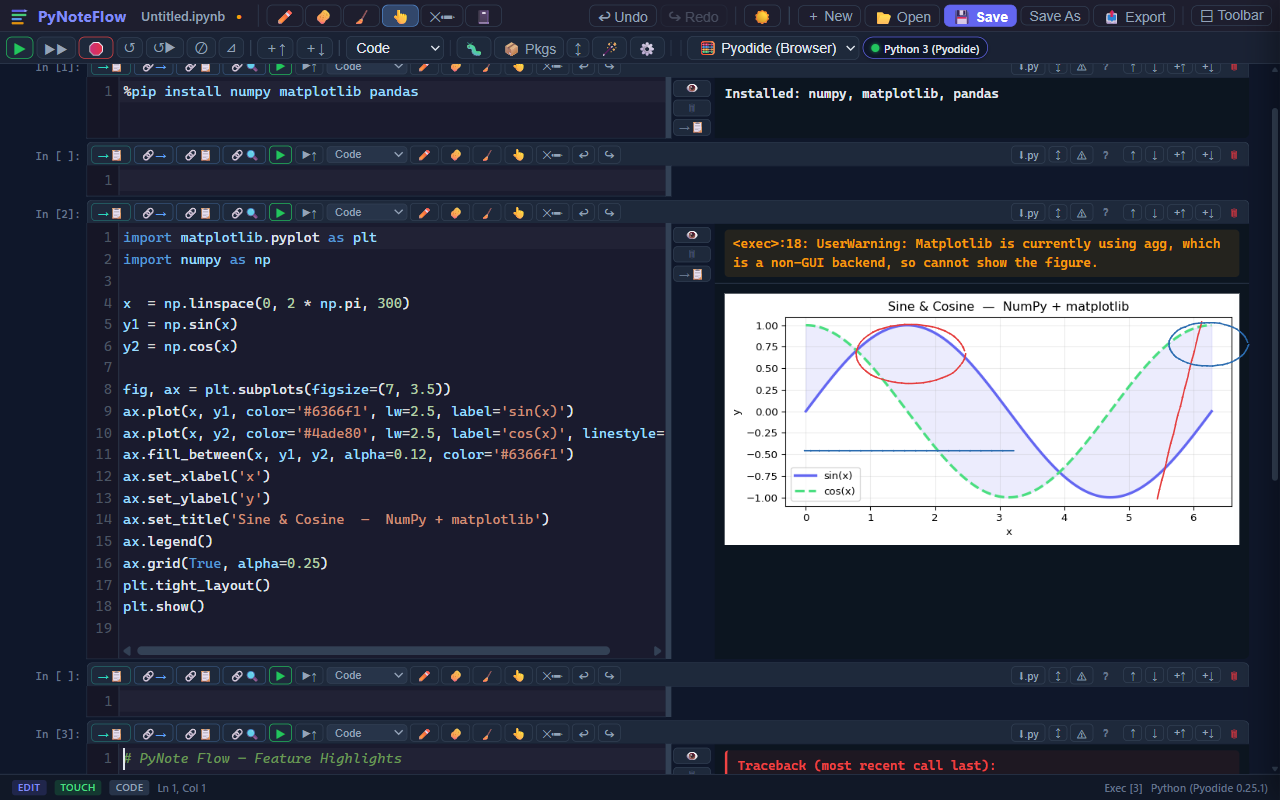
Run Python 3.11 instantly in Chrome or Edge — no install, no server. Connect to local or cloud GPUs, generate full ML notebooks with AI, and annotate everything in one browser tab.
Built in Pakistan, Made for the World.
One email on launch day — no spam, no newsletters. You’ll be the first to get the link.
One email only. No spam. No subscription.
See it in action
Run Python, draw annotations, browse a PDF — all inside a browser tab.
Who it's for
Whether you're learning Python for the first time or running experiments every day, PyNoteFlow adapts to how you work.
Open a notebook, run Python, and annotate lecture slides — no setup, no IT tickets, no waiting. Works in any lab on any machine with Chrome or Edge.
Attach reference PDFs alongside live code, link specific pages to cells, and export notebooks to LaTeX or DOCX for your papers.
Use Reveal Mode to walk students through code line by line. Open a Projector window on the classroom screen while your laptop stays private.
NumPy, pandas, matplotlib, scikit-learn, SciPy — all preloaded. Automatic GPU detection for both local Jupyter servers and Colab, Smart Viz suggestions, and an AI Notebook Builder that generates and runs full ML notebooks from a single sentence.
Standout Features
No Python installation. No server. Run Python 3.11 instantly, inline.
Intelligent Python completions powered by the Jedi library, running entirely in your browser via Pyodide. Press Ctrl+Space or just type — completions arrive within 350 ms with colour-coded type icons for functions, classes, modules, keywords, and builtins. Zero latency. Fully offline.
Built-in AI panel with one-click actions on every cell: Explain Code, Explain Error, Suggest Plot, Generate Docstring, and free-form chat.
Apply to All Cells — write one instruction and the AI modifies every code cell in the notebook in a single operation.
Enable GPU quick button — inserts framework-specific GPU setup code at Cell 1 (PyTorch / TF / JAX auto-detected).
Your code and key never leave your browser. Free tier: 1,500 requests/day. Bring your own API key. Supports Gemini, Groq, and OpenAI-compatible APIs.
A transparent canvas floats over every cell — always on. Switch between Pen ✏️, Highlighter 🖊️, Eraser 🧽, Stroke Eraser 🧹 and Pointer 👆 in one click. Strokes scroll with their cells and save together with your notebook in the .ipynf format.
A slide-in whiteboard panel for diagrams, typed note cards, and freehand sketches — right next to your notebook. Send any cell's code or rendered output to the pad with one click. Text cards support rich HTML including rendered markdown. Pinch-to-zoom 0.5×–4× for detail work.
Connect PyNoteFlow to a local Jupyter server on a GPU machine or to Google Colab and GPU detection activates automatically — device name and VRAM appear in the status bar instantly (e.g. ⚡ RTX 4090 · 24 GB). Works identically for local and cloud GPUs.
Click the badge to open the GPU panel: see routing status, re-apply CUDA routing, or download a ready-made Jupyter GPU Launcher (.bat) that sets all CUDA environment variables before starting Jupyter.
Smart GPU Setup in the AI panel reads your notebook, identifies your framework (PyTorch / TensorFlow / JAX), and inserts the exact setup code. For PyTorch it auto-patches every relevant cell — adding .to(device) on models, inputs, and labels so nothing silently runs on CPU.
Built-in GPU Usage Guide with framework-specific tabs.
Describe a machine learning task in plain English. PyNoteFlow sends it to the AI and generates a complete, ready-to-run notebook — problem analysis cell, code cells, and markdown explanations — structured in logical chunks from imports to evaluation.
Agentic execution loop: the AI automatically runs each generated cell in sequence. If a cell errors, the AI reads the traceback and fixes it (1 auto-retry per cell). You watch the live progress log as it runs.
GPU-aware from the start — the AI sees your detected GPU and writes optimised code. No boilerplate hunting. No copy-pasting setup snippets.
Works with Gemini, Groq, and OpenAI-compatible APIs.
After every cell execution, PyNoteFlow scans your outputs for tables, arrays, and numeric data — then suggests the right chart type automatically. Click any suggestion to insert a ready-to-run matplotlib snippet. No typing required.
Notebook cells, pen annotation strokes, Writing Pad sketches & cards, and embedded PDF state are all bundled into a single .ipynf or .yaml file. Reopen it anywhere in PyNoteFlow and every stroke, card, and PDF page is exactly where you left it.
The .yaml format is plain readable text — ideal for editing notebooks with AI assistants like Copilot or Gemini. Because it's structured text rather than binary JSON, AI models consume far fewer tokens reading and modifying it, keeping you well inside your context window.
Standard .ipynb files (Jupyter) and plain .py scripts are also fully supported for both opening and saving — keeping your workflow compatible with JupyterLab, VS Code, and any Python editor.
Enter presentation mode with one click — all code is hidden. Press Page Down to reveal one line at a time, cell by cell, with a natural typewriter animation. Students see code build up as you explain it. Projector Only mode opens a separate window you drag to the classroom screen, while your laptop shows the complete code.
Every colour theme has three background modes: ☀️ Light for bright rooms, 🌓 Tint to wash the accent colour across cell backgrounds, and 🌙 Dark for low-light environments. Toggle with one click in the header — no reload, instant switch.
Every export is a faithful, optimally structured transformation — no copy-paste, no lost formatting, no manual cleanup. HTML — self-contained with a dark/light toggle, all outputs inline. PDF — print-ready, respects your current layout. LaTeX .tex — compilable with pdflatex; code blocks, math equations, and tables map faithfully. Word .docx — Consolas code blocks, Cambria Math equations, correct heading hierarchy. Image ZIP — every chart and figure output as a PNG, bundled in one archive.
Two-finger pinch scales the entire notebook 0.5× – 3×. Zoom persists across sessions in localStorage. The annotation canvas resizes correctly after every pinch so strokes stay anchored to their cells.
Attach PDF files directly inside your notebook and browse pages without switching tabs. Create quick-access links between any PDF page, a specific notebook cell, or a Writing Pad card — perfect for referencing lecture slides, research papers, or textbooks alongside live code. Free plan: up to 10 PDF pages.
A dedicated lightweight kernel server built for PyNoteFlow. One command to install, one click to connect — no Jupyter URL, no token, no config file.
Install (Windows):
irm https://raw.githubusercontent.com/hh-globals/pynoteflow-server/main/install-and-run.ps1 | iex
Install (macOS / Linux):
curl -LsSf https://raw.githubusercontent.com/hh-globals/pynoteflow-server/main/install-and-run.sh | bash
Both one-liners install uv (fast Python tool runner), install pynoteflow-server via pip, register it to start silently at login, and launch it immediately. After that, PyNoteFlow detects it automatically every time you open Chrome — no manual start needed.
Runs a real IPython kernel on your machine — full system Python, unlimited packages, GPU support. Security locked to chrome-extension:// origins only; nothing reachable from the internet.
Switch the entire interface aesthetic with one click. Each skin is a fully hand-tuned design layer applied over any of the 50+ colour themes — they stack independently.
Classic — clean, flat, distraction-free.
Premium — editorial luxury. Deep midnight indigo with a single restrained champagne-gold accent. Cards bevel with a top inner-highlight. Save button is the one filled element on screen. Running cells pulse warm gold.
Glass — Apple Sequoia / iOS-17 glassmorphism. Four-colour aurora gradient mesh drifts behind frosted surfaces. Every panel is translucent with a crystal top-edge highlight. Running cells pulse cyan.
Sleek — minimal monochrome with sharp geometry.
Atelier — generous whitespace, warm ink palette, notebook-meets-IDE.
Ribbon — Microsoft Office–style tab bar with resizable toolbar.
Full Feature Set
Every feature works out of the box on first open.
Full Python runtime compiled to WebAssembly. NumPy, pandas, matplotlib, scikit-learn, SciPy and 200+ packages. First load ~8 MB, then fully offline.
Click ⚠ on any cell for instant static analysis — undefined names, unused imports, logic errors — with hover tooltips explaining each warning.
Toggle any cell (or all cells) to show code on the left and output on the right. Drag the splitter to set your preferred ratio.
Monitor up to 4 variables simultaneously. Pre/post bars above and below each cell show exactly how values change as the cell runs.
Python's input() works natively via SharedArrayBuffer + Atomics. An inline prompt widget appears in the cell output — no page freezing.
Inline PNG charts, styled DataFrames, HTML, Markdown, SVG, LaTeX math, audio player, video player, ANSI-coloured tracebacks.
6 themes included free. 50+ more across Dark, Light, Colorful, Warm, and Fruit packs — available as small one-time purchases. Every theme supports ☀️ Light, 🌓 Tint, and 🌙 Dark modes plus custom HSV color pickers.
Live teaching mode: hide all code, reveal it line by line with a typewriter effect using Page Down. Optional Projector Only mode opens a separate window for the classroom screen while the teacher's laptop shows everything.
Classic — clean flat layout. Premium — editorial luxury: midnight indigo with restrained champagne-gold accents, beveled cards, gold left-rail selection. Glass — true Apple-Sequoia glassmorphism: animated aurora mesh background, frosted surfaces, crystal top-edge highlights. Sleek — minimal monochrome. Atelier — generous whitespace, soft ink palette. Ribbon — Office-style tab bar. All skins combinable with any of the 50+ colour themes.
Connect to your own Colab session for GPU/TPU execution. Paste the URL + token — PyNoteFlow handles the Jupyter Messaging Protocol. GPU auto-detection activates on connect, showing device name and VRAM in the status bar.
pip install pynoteflow-server then click ⚡ Connect Kernel → PyNoteFlow Server — no URL, no token, no config. A real IPython kernel runs on your machine; the extension detects it automatically. Install any package (PyTorch, TensorFlow, OpenCV, anything on PyPI), no browser restrictions. GPU detection activates instantly — device name and VRAM appear in the status bar. Quick install: one-liner for Windows (irm … | iex) or macOS/Linux (curl … | bash) installs the server and registers it to start at login automatically.
%pip install, %timeit, %time, %who, %whos, %reset, %env, %cd, %pwd, %%html, %%markdown, %%writefile, obj? and more.
Pip install panel with real-time progress, pip list, pip show, pip freeze, command history ring, spinner animation, offline caching.
Live table of all Python names, types, and values — updated after every cell execution. Opens as a side panel.
Up to 10 recent notebooks stored in IndexedDB with FileSystem handles. Reopen with zero clicks if permission was previously granted.
Notebook content auto-saved to localStorage every 30 seconds. Restored automatically on reload — zero work lost on crashes.
Accurate, lossless export to styled HTML, print-ready PDF, compilable LaTeX .tex, Word .docx (Consolas code + Cambria Math equations), or Image ZIP (all chart outputs as PNGs). Every format maps notebook structure faithfully — no information lost. Never modifies the source file.
Two-finger pinch scales the entire notebook 0.5×–3×. Zoom level persists across sessions. Annotation canvas resizes correctly after pinch.
Save notebooks as .ipynf (cells + annotations + Writing Pad + PDF state, all in one file), .yaml (human-readable, ideal for AI editing), standard .ipynb (Jupyter-compatible), or plain .py scripts. Open and save in any of these formats — full round-trip fidelity for each.
Attach PDF files inside your notebook. Browse pages without leaving the app and create cross-reference links between PDF pages, notebook cells, and Writing Pad cards for instant navigation. Free: 10 pages; Pro: unlimited.
Connect to Jupyter or Colab — PyNoteFlow detects your GPU and shows device name + VRAM in the status bar. Click to download a Jupyter GPU Launcher (.bat) or let Smart GPU Setup insert framework-specific code for you.
Describe an ML task → AI generates a complete annotated notebook and runs it cell by cell, auto-fixing errors. GPU context is injected automatically so generated code is ready for your hardware.
Write one instruction in the AI chat and apply it to every code cell in the notebook at once — add docstrings, convert to GPU, refactor, or anything else, in a single click.
Cell links appear as compact flag chips in the Writing Pad, matching the PDF page marker style. Gutter buttons let you find or send page markers between notebook cells and the PDF viewer in one click.
Screenshots
Real screenshots — no mockups, no Figma. What you see is what you get.
AI-Friendly Format
Standard .ipynb files are JSON with thousands of lines of metadata. PyNoteFlow's .yaml export strips all that away — cells become plain text blocks your AI can read, edit, and return in seconds.
{
  "nbformat": 4,
  "nbformat_minor": 5,
  "metadata": {
    "kernelspec": {
      "display_name": "Python 3",
      "language": "python",
      "name": "python3"
    },
    ...
  },
  "cells": [
    {
      "cell_type": "code",
      "execution_count": 1,
      "id": "a1b2c3d4",
      "metadata": {},
      "outputs": [ { "output_type": "stream",
        "name": "stdout", "text": ["Hello\n"] } ],
      "source": [ "print('Hello')" ]
    },
    ...
  ]
}
# PyNoteFlow Notebook
version: 1

cells:
  - type: code
    source: |
      import pandas as pd
      df = pd.read_csv('data.csv')
      df.head()

  - type: markdown
    source: |
      ## Results
      The data shows an upward trend.

  - type: code
    source: |
      df.plot(kind='bar')

# ... 47 more cells ...
In Action
Run the cell with Shift+Enter. Completions, linting, and AI explanations are one keypress away.
Keyboard-First
Full Jupyter-style command/edit mode, plus annotation and AI shortcuts.
How it compares
The only notebook that runs offline, annotates natively, and ships a built-in AI assistant.
| Feature | PyNoteFlow | JupyterLab | Google Colab | VS Code |
|---|---|---|---|---|
| No install / no server | ✓ | ✗ | ✓ | ✗ |
| Works fully offline | ✓ | ✓ | ✗ | ✓ |
| Reveal Mode (live teaching) | ✓ | ✗ | ✗ | ✗ |
| Live pen annotation | ✓ | ✗ | ✗ | ✗ |
| Annotations saved in notebook | ✓ (.ipynf) | ✗ | ✗ | ✗ |
| Writing Pad / whiteboard | ✓ | ✗ | ✗ | ✗ |
| Embedded PDF viewer | ✓ | ✗ | ✗ | ✗ |
| Built-in AI assistant | ✓ | ✗ | ✓ | ✓ |
| Smart viz suggestions | ✓ | ✗ | ✗ | ✗ |
| Jedi autocomplete | ✓ | ✓ | ✓ | ✓ |
| Variable watch bars | ✓ | ✗ | ✗ | ✗ |
| input() support in browser | ✓ | ✓ | ✓ | ✓ |
| Export to PDF / DOCX / LaTeX | ✓ | ✓ (ext) | ✗ | ✓ (ext) |
| Pinch-to-zoom | ✓ | ✗ | ✗ | ✗ |
| GPU / TPU support | ✓ (local & Colab) | ✓ (local) | ✓ | ✓ (local) |
| Zero-config local kernel (no URL/token) | ✓ (PNF Server) | ✗ | ✗ | ✗ |
| 6 hand-crafted UI skins | ✓ | ✗ | ✗ | ✗ |
| Price | Free (limits) / $15 once | Free | Free / $10/mo | Free |
FAQ
Can't find an answer? Email us at contact@hh-globals.com.
.ipynf or .ipynb files stored on your own device. They stay yours forever.Free includes all features with generous limits. Pro removes every limit for a single $15 payment.
Secure payment by Paddle
H&H Globals
We're a small team from Pakistan building thoughtful software for learners, researchers, and educators. PyNoteFlow is our first product, with PDFNoteFlow on the way — and more coming.
Python notebook platform for Chrome & Edge. Code, annotate, write, and read — all in one tab. No install required.
A live PDF viewer paired with an infinite writing pad. Annotate your PDF and take handwritten or typed notes side by side — a modern, open alternative to OneNote.
"Tools built with care, for people who think."
H&H Globals · Built in Pakistan, Made for the World · contact@hh-globals.com